
Screenshots
App details
- Updated
- Oct 17, 2012
- Language
- Spanish,English
- Developer
- Belltech Systems, LLC.
- Category
- Mobile
SoftPas in:
This product is also available in the following languages:
About Greeting Card Designer
Download Greeting Card Designer – Personalized Greeting Cards, Customizable Templates, Create Custom Cards, Save as PDF, Image Format, Android App
Overview
Greeting Card Designer is a mobile application designed for individuals who wish to create unique, personalized greeting cards without relying on mass-produced options. The app serves as a digital tool for crafting meaningful messages and visuals tailored to specific occasions, whether it’s a birthday, anniversary, holiday, or thank-you note. By allowing users to customize every element of their cards, the app addresses the common frustration of finding generic or impersonal greeting cards in physical stores. It empowers users to express individuality through design, text, and imagery, making each card a one-of-a-kind keepsake.
Target users include hobbyists, gift-givers, event planners, and anyone who values thoughtful communication. The app is particularly useful for those who want to send digital cards via email or social media, or print them at home or through a service. While the developer is listed as Greeting Card Designer, no further background information is available. The app has been available since 2012, indicating a long-standing presence in the mobile productivity space. Its continued relevance suggests a stable, functional design that meets basic user needs without requiring frequent updates. In the broader app ecosystem, Greeting Card Designer fills a niche by combining simplicity with creative freedom, offering a lightweight alternative to complex design software.
Key Features & Functionality
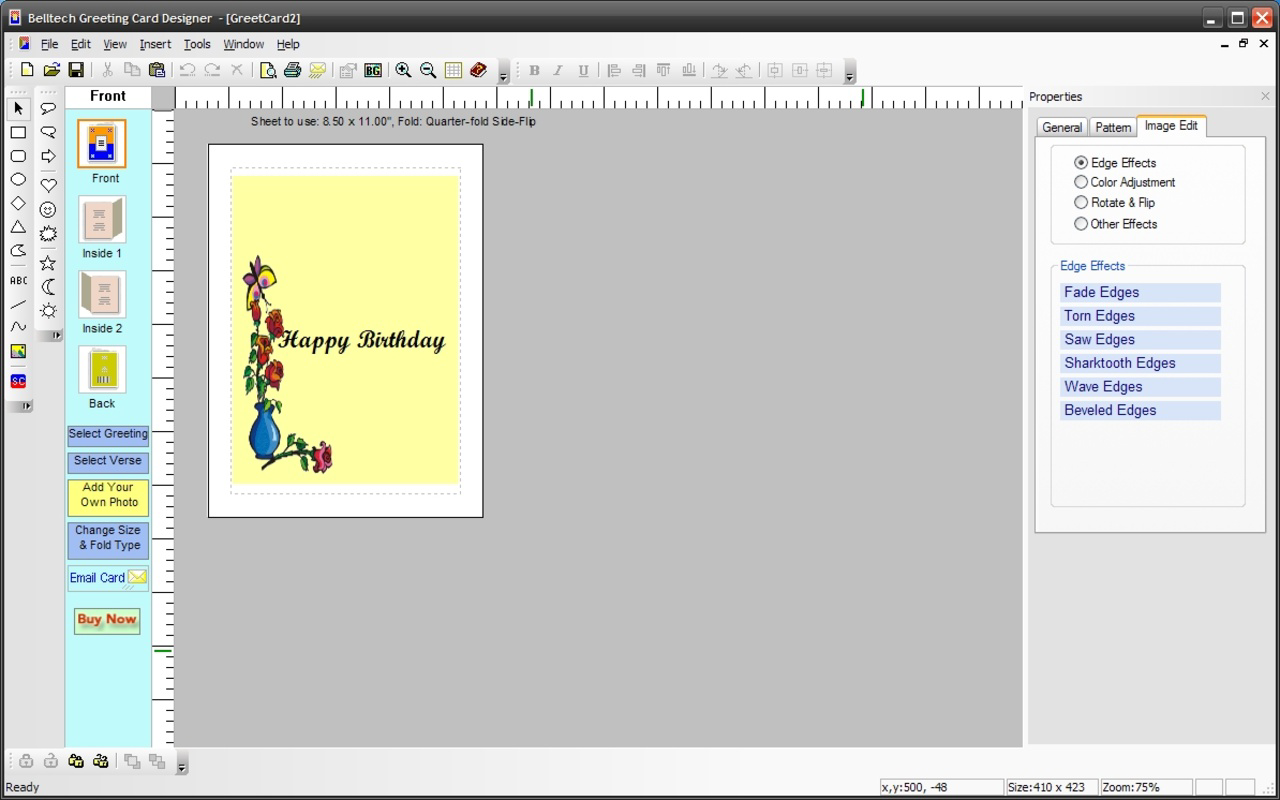
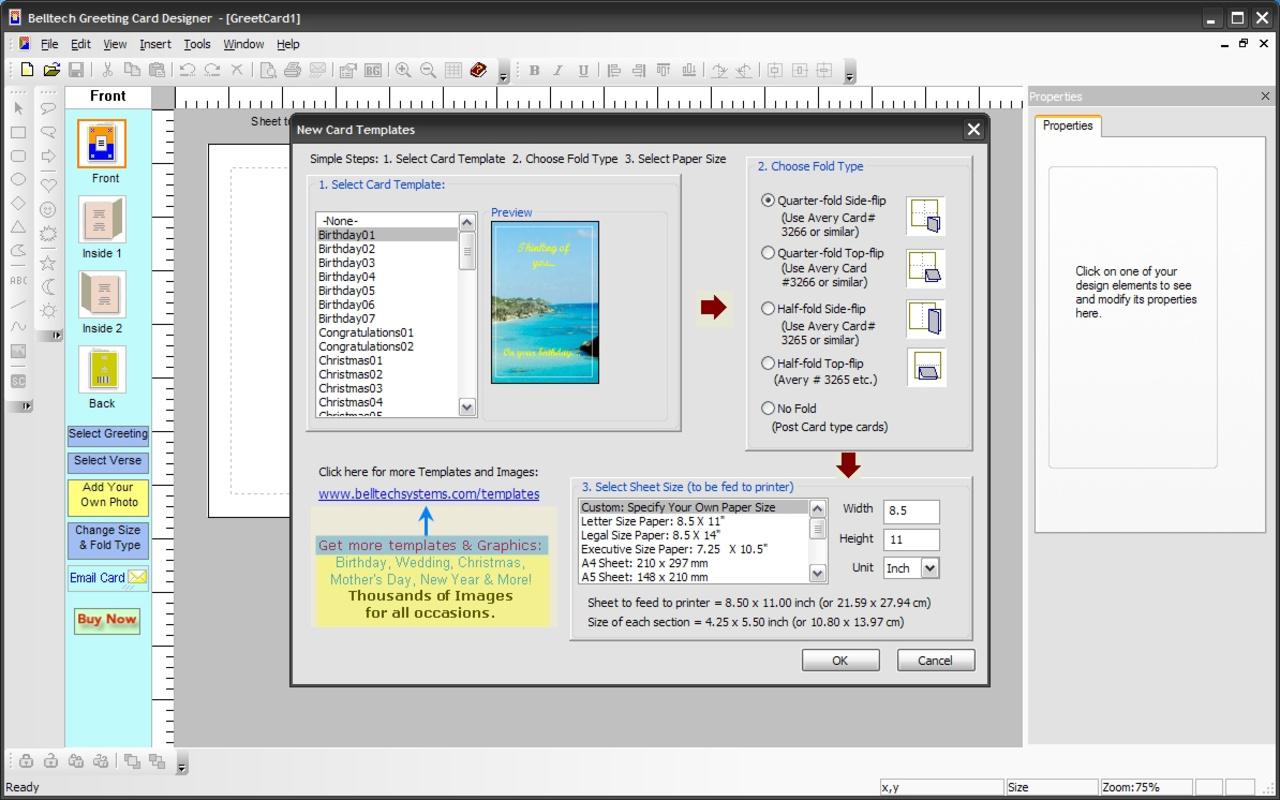
- Customizable Templates: The app provides a selection of pre-designed templates that users can modify to fit their preferences. These templates serve as a starting point, reducing the time needed to begin a design while still allowing for personalization.
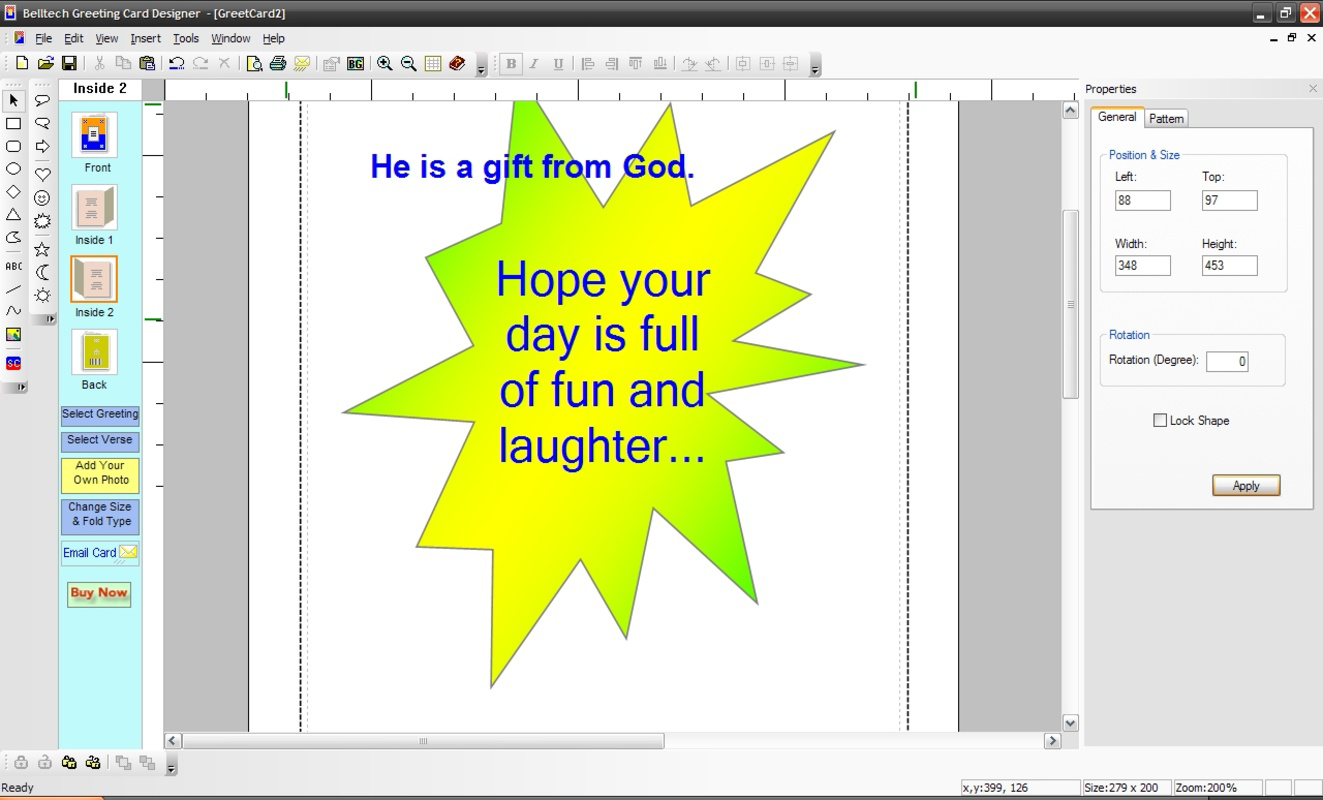
- Image and Text Inclusion: Users can upload personal photos or select from built-in image libraries, adjust image size, and add any text content—such as names, messages, quotes, or jokes—directly onto the card.
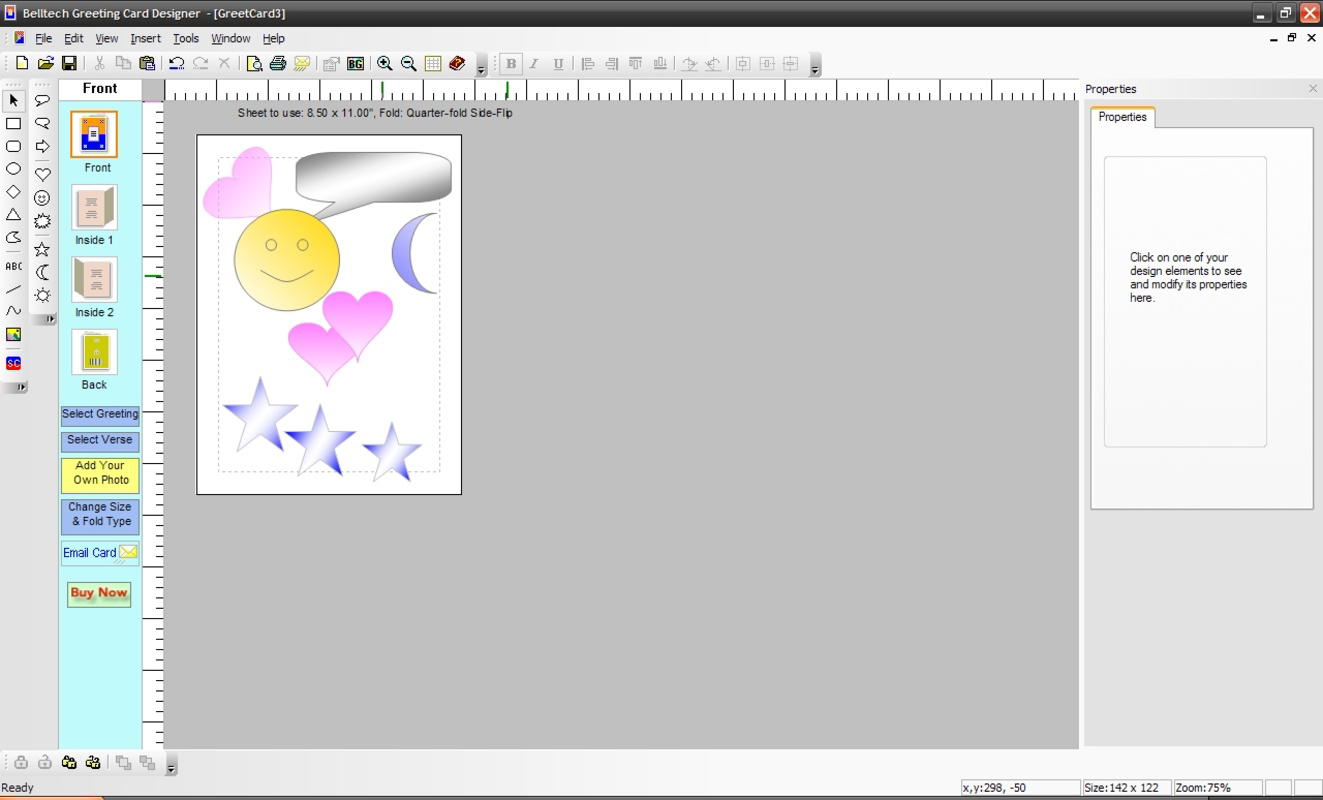
- Design Versatility: The app supports a wide range of visual themes and elements, from celestial motifs like moons and stars to everyday objects like sandwiches, enabling users to reflect their personality or the mood of the occasion.
- Multiple Save Formats: After finalizing a design, users can export their card as a PDF or a standard image file, ensuring compatibility with various sharing and printing platforms.
For example, a user preparing a birthday card for a friend who loves space can select a starry night template, insert a photo of the friend, add a personalized message, and save it as a PDF to email. Another user might create a humorous card for a colleague using a sandwich-themed template and a funny quote. These practical applications demonstrate how the app enhances both creativity and convenience.
Interface, UX & Performance
The user interface of Greeting Card Designer appears to prioritize simplicity and ease of access. With a clean layout, users can navigate between templates, editing tools, and export options with minimal friction. The visual style is functional, focusing on usability rather than elaborate graphics, which aligns with its productivity category. Navigation is likely linear—starting with template selection, followed by content customization, and ending with export—making the workflow intuitive for first-time users.
Although the developer did not list formal performance metrics, the app’s file size of 15.5 MB suggests it is lightweight and optimized for a broad range of Android devices. It is expected to run smoothly on mid-tier and older Android smartphones, though specific performance details were not disclosed. Responsiveness during editing—such as image resizing, text input, and layout adjustments—appears to be stable, based on its long-term availability. Stability is further implied by the absence of reported crashes or compatibility issues in public records. However, no information was provided about background processes, memory usage, or support for tablets or foldable devices.
Platform Compatibility & Technical Requirements
Greeting Card Designer is available exclusively on the Android platform. The current version is 1.2.1, and the app occupies 15.5 MB of storage space. The developer did not specify minimum OS requirements or compatibility with specific device models. As such, users should verify whether the app runs on their device through the official app store. The app is offered at no cost, making it accessible to a wide audience. While the release date was 2012-10-17, the lack of recent update history raises questions about ongoing maintenance, though this does not necessarily impact current functionality.
Pros and Cons
Pros
- Free to download and use, with no in-app purchases or ads mentioned.
- Lightweight file size (15.5 MB) suitable for older or low-storage devices.
- Supports multiple export formats (PDF and image) for flexible sharing and printing.
- Offers customizable templates to speed up the design process while maintaining creative freedom.
- Allows personal image and text integration for truly unique cards.
Cons
- No information was provided about minimum OS version or device compatibility.
- Developer did not disclose details about app updates or long-term support.
- Interface details such as accessibility features or dark mode were not listed.
- Specific technical performance data (e.g., load time, memory usage) were not available.
- Compatibility with tablets or foldable screens was not confirmed.
FAQ
Is Greeting Card Designer safe to download?
The app is available through official Android distribution channels. As it is free and has been available since 2012, it is considered low-risk. However, users should always download from trusted sources to ensure security.
Can I use my own photos in the cards?
Yes, the app allows users to include personal images, which can be resized and placed within the card design.
What file formats can I save my card in?
Users can export their final designs as PDF files or standard image formats, such as PNG or JPEG.
Is the app compatible with all Android devices?
The developer did not specify minimum OS requirements or device compatibility. Users should check their device’s app store listing for supported models.
Does the app require an internet connection?
While the app may function offline for design and editing, certain features like cloud storage or template updates might require connectivity. Specific details were not provided.
Final Thoughts
Greeting Card Designer remains a practical choice for users seeking a straightforward, no-cost solution to create personalized greeting cards. Its focus on customization, combined with support for multiple export formats, makes it a valuable tool for both casual and repeat users. The app’s lightweight design and long-standing presence suggest reliability, even if it lacks modern features or frequent updates. While it may not offer advanced design tools, it effectively balances simplicity and functionality for its intended purpose. For anyone looking to send heartfelt messages with a personal touch—whether digitally or in print—this app delivers clear value. Download Greeting Card Designer now.
Guides & Tutorials
How to install Greeting Card Designer
- Click the Download button above.
- Once redirected, accept the terms and click Install.
- Wait for the Greeting Card Designer download to finish on your device.
How to use Greeting Card Designer
This software is primarily used for its core features described above. Open the app after installation to explore its capabilities.
User Reviews
No reviews yet. Be the first to share your experience.
You may also like
more
Que no te pillen¡
About !Que no te pillen¡Reviewed by Jason A. BilbreyShow MoreShow Less

3D Combat Zone
About 3D Combat ZoneOriginally released in 1983, 3D Combat Zone immerses players...

666: El día del portal
About 666: El día del portalOn June 6, 2006, Agent P. Stone uncovers a sinister...

80 in 1 Best Flash games
About 80 in 1 Best Flash games 80 in 1 Best Flash games is a collection of 80 fl...

ABYSS SEEKERーーWhat Do You See Deep in The Abyss
About ABYSS SEEKERーーWhat Do You See Deep in The AbyssIn ABYSS SEEKER, players...

ACA NEOGEO THE KING OF FIGHTERS 2002 for Windows
About ACA NEOGEO THE KING OF FIGHTERS 2002 for WindowsTHE KING OF FIGHTERS 2002,...